Why Title Tag is Important For SEO
Okay, let's be real for a second. If you've ever poked around in the world of SEO, you've almost definitely bumped into the phrase title tag. And honestly? At first glance, it sounds like one of those boring technical things only developers care about. A tiny snippet of code buried somewhere in your website's guts. Who cares, right?
Well, I used to think the same thing. Then I started actually paying attention to my title tags, and the difference in traffic was almost embarrassing. Turns out this "small" piece of code is doing a ton of quiet work in the background, deciding who clicks your page, how Google reads it, and whether you show up on page one or page nine.
So in this article, I want to walk you through why title tags matter so much, without dumping a bunch of SEO jargon on your head. Just a normal conversation, the kind you'd have with a friend who happens to know this stuff.
So What Is a Title Tag, Really?
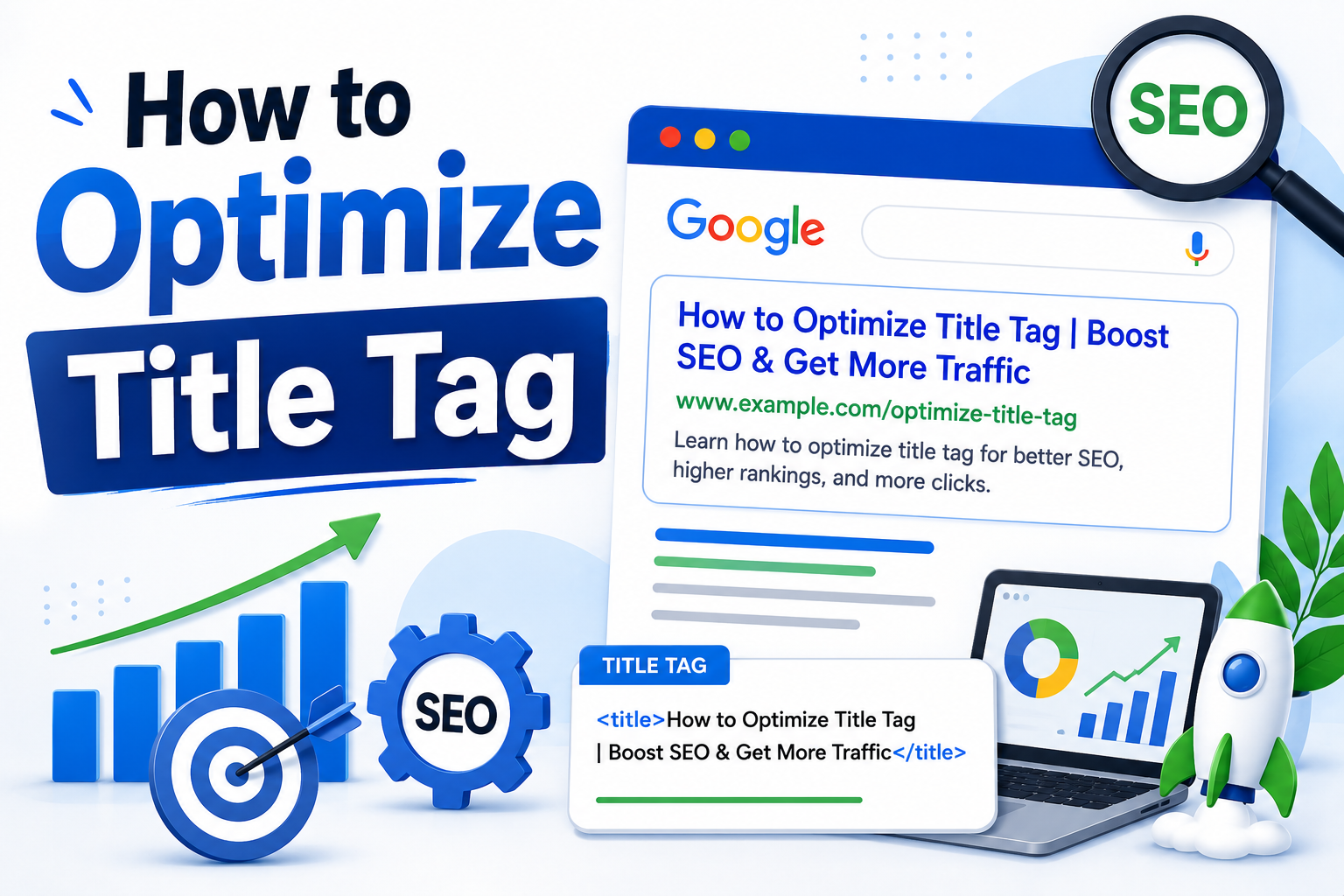
A title tag is basically an HTML element that tells the world what your page is called. In code, it looks like this: <title>Your Page Title Here</title>, and it sits inside the <head> section of your HTML. Nothing fancy.
You'll see title tags pop up in a few different spots:
- That big blue clickable link at the top of every Google result
- The little tab at the top of your browser (yeah, that one)
- The preview text when someone drops your link into WhatsApp, Slack, LinkedIn, wherever
One line of text. Three big jobs. It's honestly kind of impressive when you stop and think about it.
Why Title Tags Are Such a Big Deal for SEO
1. Google Actually Uses Them to Rank You
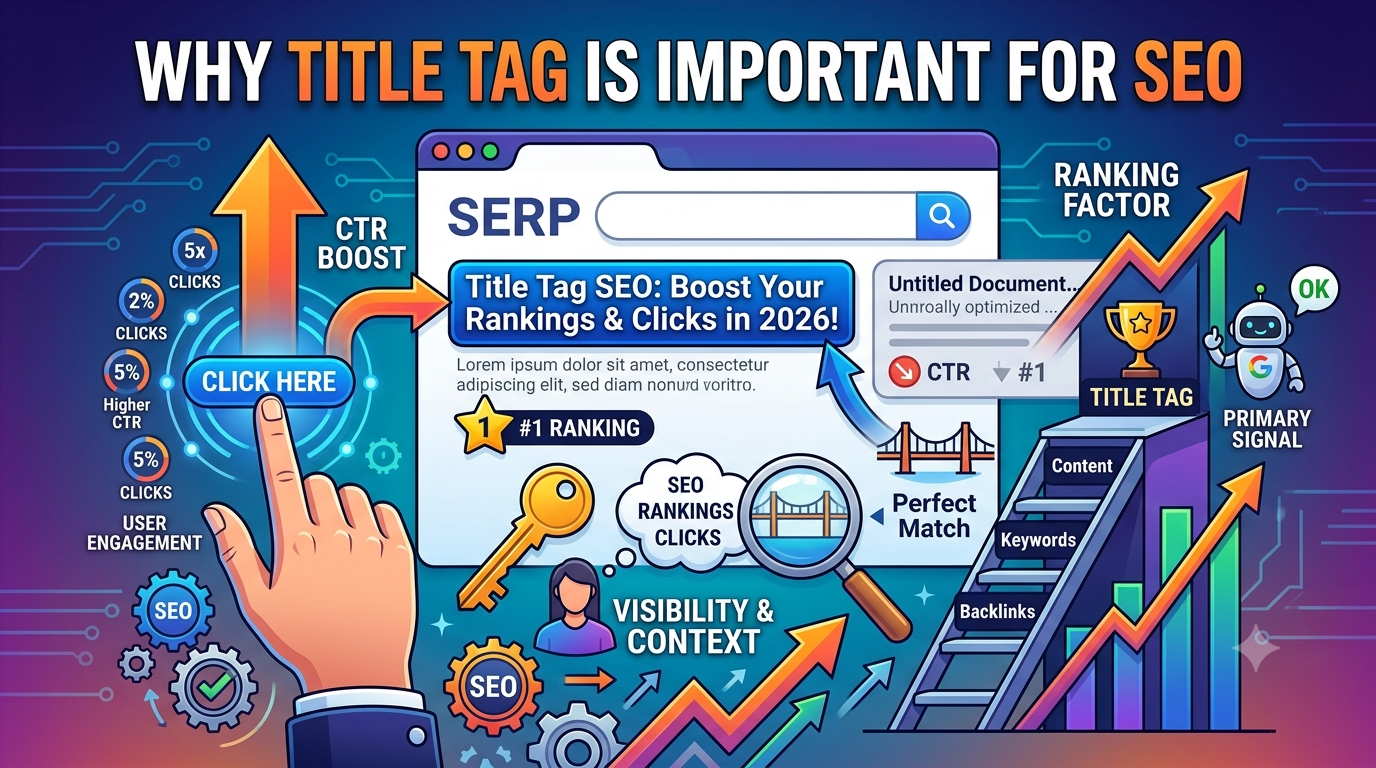
This isn't some SEO conspiracy theory. Google has come out and said it, more than once, that title tags help them figure out what a page is about. When someone types a question into the search bar, Google's basically scanning through title tags trying to find the best match. If yours is clear and lines up with what people are searching for? Great, you've got a real shot at ranking.
I like to think of the title tag as a first impression. If it's mumbled or vague, Google's kind of squinting at you going, "Wait, what are you even about?" And that's not a great place to start.
2. They Can Make or Break Your Click-Through Rate
Here's the thing nobody tells you: getting to page one isn't the win. Getting people to actually click your link is the win. And your title tag? That's the headline doing all the heavy lifting.
Think about your own behavior. When you Google something, you don't read every result carefully. You scan, you pick the one that grabs you, and you click. If your title is boring or generic, it just gets skipped. I've personally rewritten title tags on old blog posts and seen clicks jump 30, sometimes 40 percent, without touching anything else. It's kind of wild.
3. They Help People "Get" Your Page in a Split Second
People don't really read search results. They scan them. You've got maybe a second, maybe less, to answer the one question in their head: "Is this what I was actually looking for?"
Good title tags respect that. They don't try to be clever for the sake of being clever. They just tell you what you're getting if you click. Simple as that.
4. They Shape How Your Content Looks on Social Media
Ever noticed how when you paste a link into Facebook or LinkedIn, it pulls in a preview? That preview title? Yep, it's usually your title tag. So a lazy title doesn't just cost you Google traffic, it also kills your shareability. And in a world where a good share can bring in more traffic than months of SEO work, that matters.
5. They Help Your Whole Site Make Sense
When every page on your site has its own clear, unique title tag, Google can actually map your site out properly. It knows which page is about which topic. That helps with crawling, indexing, and building up what SEOs call topical authority (which is just a fancy way of saying "Google trusts you on this subject").
What a Good Title Tag Actually Looks Like
Alright, so we've covered the "why." Let's talk about the "how." What makes a title tag actually work? Here's what I've learned, mostly the hard way:
- Aim for around 50 to 60 characters. Go longer and Google will chop it off mid-sentence, which looks awful.
- Slip your main keyword in naturally. Don't force it. If it reads like a robot wrote it, rewrite it.
- Front-load the important stuff. The first few words carry the most weight, both for Google and for people scanning quickly.
- Every page gets its own title. No copy-paste jobs. Ever.
- Match what people are actually searching for. If someone types "how to bake sourdough," don't hit them with a philosophical essay about bread culture.
- Add a little hook. Numbers, brackets, a promise of value... these little things really do move the needle.
- Toss your brand name at the end if it fits. Something like "Best Running Shoes for Beginners | RunGear" builds recognition over time.
Mistakes I See People Make All the Time
Honestly, even folks who know about title tags still mess them up. Here are the biggest ones I keep running into:
- Leaving the default. Nothing says "I don't care about my site" like a title that literally just says "Home" or "Untitled Document."
- Stuffing in keywords. "Buy Shoes | Cheap Shoes | Best Shoes | Shoes Online" reads like spam. Because it is.
- Writing a title that's way too long. Google will just cut it off, and guess what usually gets chopped? The most important part.
- Being painfully vague. "Welcome to Our Website" tells nobody anything.
- Duplicating titles across pages. It confuses Google, and honestly, it confuses your visitors too.
- Writing only for search engines. If your title doesn't make sense to a real human, you've already lost.
Wait, So Is a Title Tag the Same as an H1?
Great question, and yeah, this trips a lot of people up. Quick answer: no, they're not the same. Your title tag is what shows up in Google and in your browser tab. Your H1 is the big heading at the top of your actual page.
They can be similar, and often are. But you don't have to make them identical. In fact, sometimes it's smart to write your title tag to earn the click, and your H1 to welcome the reader once they're on the page. Two different jobs, two slightly different tones.
How to Actually Test and Improve Your Titles
Here's the part most people skip: your title tags aren't a "set it and forget it" thing. You've got to check in on them every once in a while. My simple process looks like this:
- Hop into Google Search Console and look for pages getting tons of impressions but barely any clicks.
- Rewrite those title tags to be sharper, clearer, or just more interesting.
- Give it a few weeks. Don't panic. SEO takes time.
- Check what worked, double down on it, and keep going.
I once tweaked a single title tag on an old post and watched the traffic literally double in about a month. Same content, same page, same everything, just a better headline. It really can be that simple sometimes.
Wrapping This Up
Look, a title tag is just one line of text. But it's the one line of text that decides whether Google gets your page, whether people click on it, and whether your content ever gets a fair shot at being seen. That's a lot of pressure on one little snippet of HTML.
So here's my honest ask: block off an hour this week. Open up your five most important pages. Read each title tag out loud and ask yourself, "Would I click this?" If the answer's no, or even a wishy-washy "meh," rewrite it. Your future traffic (and your future self) will thank you.
🎥 Watch Related Video
Frequently Asked Questions
1. How long should a title tag be?
Somewhere around 50 to 60 characters is the sweet spot. Any longer and Google will probably cut it off, which is never a good look.
2. Does Google always show the title tag I wrote?
Not always, no. If Google thinks your title is too vague, too spammy, or just doesn't fit the content, it might swap it out for something it thinks fits better. Kind of annoying, but that's the reality.
3. Can I use the same title tag on multiple pages?
Technically yes. Realistically? Please don't. Duplicate titles confuse both Google and your readers, and they hurt your chances of ranking each page for its own topic.
4. Should my brand name go in every title tag?
Usually yes, at the end. It builds recognition over time. But if it pushes an important keyword out of the visible area, feel free to skip it on that page.
5. Do title tags actually affect rankings?
Yep, directly. Google has flat-out confirmed that title tags are one of the signals they use to figure out what a page is about and where it belongs in the results.
6. What's the difference between a title tag and a meta description?
Your title tag is the big blue clickable headline in search results. The meta description is the smaller gray text under it. Both help attract clicks, but the title tag carries more SEO weight.
7. Can I use emojis in title tags?
You can, and sometimes they help you stand out. But don't overdo it. One well-placed emoji is fine. Five of them looks desperate, and Google might strip them out anyway.
8. How often should I update my title tags?
I'd say review them every three to six months, or anytime you notice a page losing traffic. Small tweaks can lead to surprisingly big wins.
9. Should the keyword always come first?
Front-loading your keyword usually helps, yeah. But not at the cost of making your title sound weird. Natural always beats robotic.
10. Do title tags matter for mobile users too?
Big time. On mobile, there's even less screen space, so a clear, punchy title tag matters way more than on desktop.